



Enterprise systems rarely exist in isolation. From accounting and inventory to customer service and analytics, today’s organizations depend on a complex digital ecosystem to operate effectively. When these systems operate in isolation, issues such as duplicate data, delayed reporting, poor collaboration and redundant workflows can start to creep up.
For companies using Microsoft Dynamics 365 as a core platform for finance, operations or customer relationship management (CRM), integration with other applications, whether Microsoft-native or third-party, is essential. It creates a unified environment where data moves securely, processes run efficiently and decisions are grounded in real-time insights.
One of Microsoft Dynamics 365’s most powerful features is its ability to connect with internal or third-party platforms. It offers multiple paths for integrating with other systems, giving decision-makers flexibility in unifying their technology stack. The primary integration methods include:
Together, these integration paths allow enterprises to unify customer, financial and operational data without disrupting existing systems. Each method offers distinct advantages, and the right approach depends on business requirements, technical complexity, data volume and long-term scalability goals.
Enterprises that prioritize agility often start by connecting their most-used platforms with Microsoft Dynamics 365. From productivity tools to analytics platforms, strategic integrations reduce manual effort and create a seamless flow of information across teams.
Dynamics 365 is deeply embedded in the Microsoft ecosystem, making integration with familiar tools like Excel, Word, Outlook and OneNote efficient. Teams can generate quotes in Word using data from Microsoft Dynamics 365’s CRM, manipulate records directly in Excel or capture notes in OneNote that attach automatically to the correct customer record without switching platforms. This deep integration with Dynamics 365 minimizes context-switching and ensures every interaction, document or update feeds back into the core system.
While Dynamics 365 includes its own CRM capabilities, many companies continue to use other solutions such as Salesforce or HubSpot alongside it. For example, a distributor may manage sales outreach in Salesforce while handling invoicing and fulfillment in Dynamics 365 Finance.
Connecting third-party CRMs to Dynamics 365 allows sales, finance and operations teams to access synchronized data across platforms. Product availability, customer pricing, credit status and sales history can flow automatically between systems without manual reconciliation. Integrating CRM tools also enables real-time updates for quotes, lead scoring, customer segmentation and marketing campaigns.
Online retail depends on accurate, up-to-the-minute information. By connecting Dynamics 365 with platforms such as Shopify or Magento, companies can unify product catalogs, pricing, inventory and order data automatically. This integration eliminates duplicate entry, shortens fulfillment cycles and creates a seamless customer experience across digital channels. It allows executives to gain better visibility into sales performance, while operations teams can react quickly to demand shifts.
To make confident decisions, leadership teams need reliable data delivered in the proper context, at the right time. Integrating Dynamics 365 with platforms like Power BI or Tableau brings advanced reporting capabilities to the data already flowing through your enterprise resource planning (ERP).
With these connections, executives can visualize production trends, inventory turns, customer profitability or supplier performance in interactive formats. Integration with intelligence and analytics tools also enables companies to improve decision-making speed and accuracy while strengthening collaboration across finance, operations and sales.
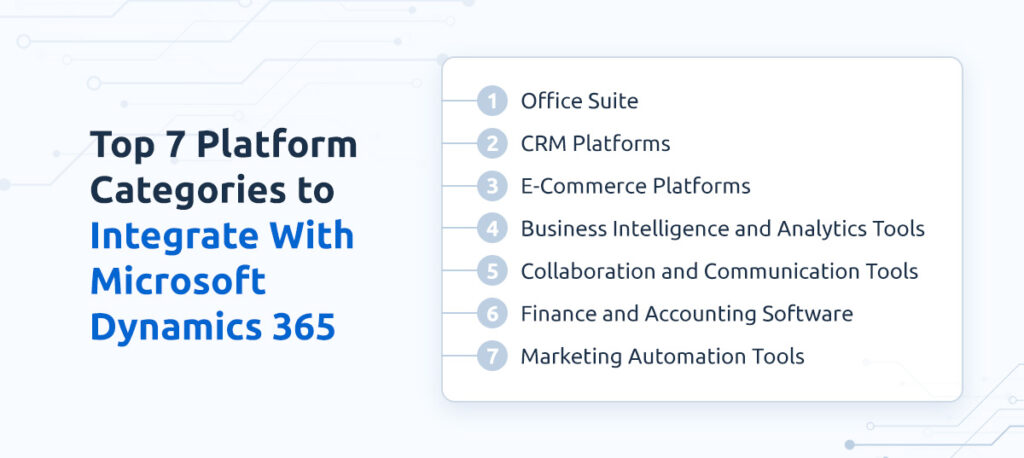
Efficient collaboration drives productivity, especially across distributed teams. Connecting communication tools like Microsoft Teams, Outlook or Slack with Dynamics 365 unifies communication and workflow. Employees can update records, share documents or manage tasks directly from their communication platforms, with all changes reflected in real time. These integrations help unify conversations and data, so teams can act faster, whether they’re on the shop floor or across the globe.
Even though Dynamics 365 has a robust financial system, many organizations still rely on third-party accounting platforms like QuickBooks or Xero for certain subsidiaries, geographies or legacy operations. Integrating these systems helps maintain compliance, reduce reconciliation errors and provide executives with a complete picture of financial performance without the need for duplicate data entry.
Campaign effectiveness improves when marketing platforms connect to enterprise data. Dynamics 365 integrates with external systems like HubSpot, Salesforce Marketing Cloud and Mailchimp, enabling marketing teams to segment audiences, personalize messaging and precisely measure ROI. Integration with Dynamics 365 also ensures sales teams gain visibility into campaign performance, aligning both departments around shared customer intelligence.
Knowing which systems to connect is one piece of the puzzle. Choosing the right Microsoft Dynamics 365 integration partner to guide the process is what makes those connections successful. Here are some qualities to prioritize during your evaluation:
The right partner helps you confidently move from concept to execution, delivering integrations that connect seamlessly and deliver measurable value.
Integrating Microsoft Dynamics 365 with external platforms strengthens collaboration and delivers actionable insights across departments. From connecting productivity tools and CRMs to unifying finance, analytics and e-commerce systems, the right integration strategy transforms fragmented operations into a single, connected enterprise environment.
At Winfosoft, we bring over two decades of experience helping companies in the metals, manufacturing and distribution sectors across 24 countries with the technical depth and industry understanding needed for complex enterprise integrations. As a Microsoft ERP Gold Certified Partner, we deliver integrations that align with both immediate needs and long-term goals. Whether your organization requires API-driven connections, middleware orchestration or specialized frameworks, our specialists are ready to support your goals.
Schedule a consultation today to see how tailored Dynamics 365 integration can accelerate growth and sharpen your competitive edge.